Why Contractors Need Data Flow Diagrams in ERP Design
If you’ve ever tried implementing an ERP system for your contracting business, you know it’s a high-stakes game. Miss one critical process, and you’re looking at chaos—project delays, budget overruns, and compliance headaches. Yet, too often, ERP implementations go south because the design process skips a crucial step: mapping out how data flows through your system in real life.
Enter Data Flow Diagrams (DFDs). These aren’t just some academic exercise. They’re the blueprint for building ERP systems that don’t fall apart under the weight of real-world complexity. Think of a DFD as the map that shows how information moves through your business—where it starts, where it’s stored, and how it’s processed. The goal is to translate that understanding into an ERP that fits your needs perfectly.
For contractors managing multiple projects, scattered sites, and tight margins, this is a lifesaver. Especially in regions like India and the GCC, where compliance rules, labor management, and procurement processes are a minefield, DFDs can help you design an ERP system that handles it all effectively.
What Is a Data Flow Diagram (DFD)?
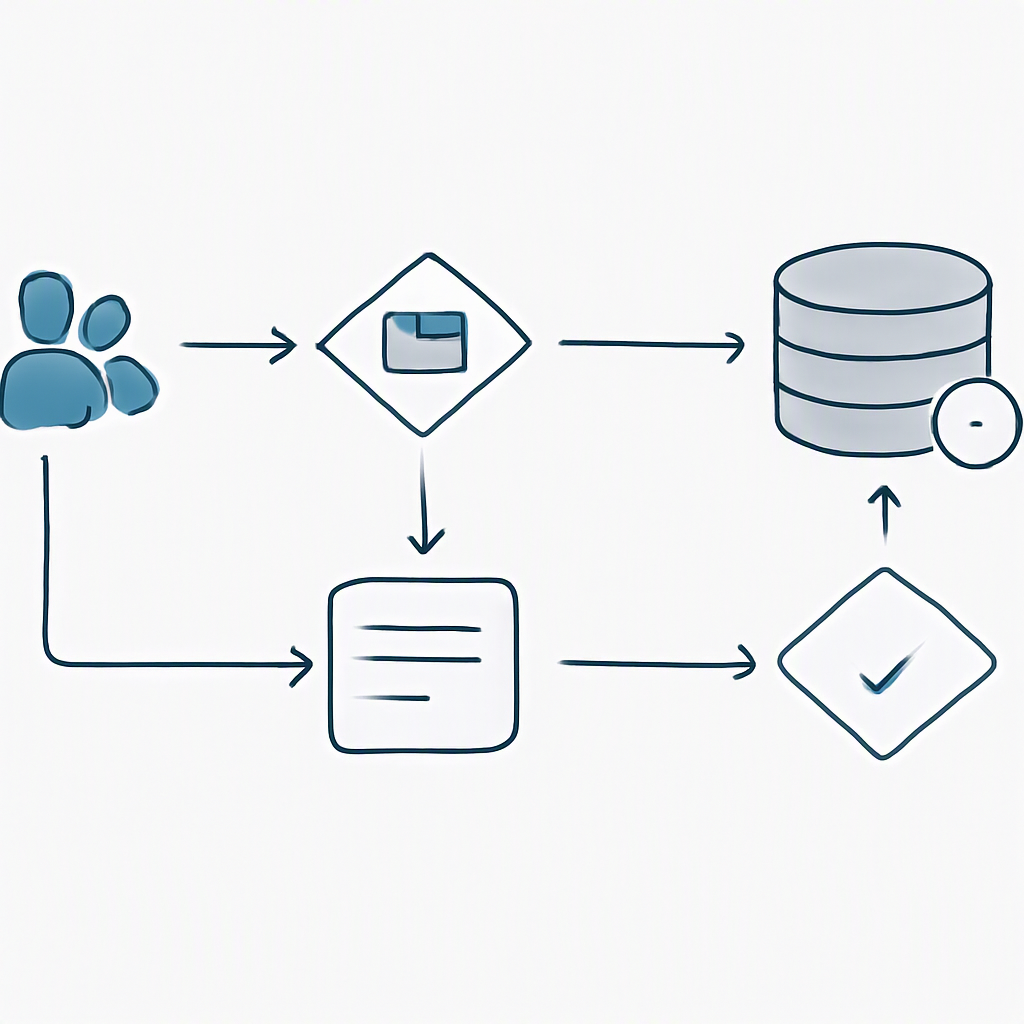
A Data Flow Diagram (DFD) is a graphical representation of how data flows through a system. It’s not just about showing where data goes but also about understanding what processes it flows through, who interacts with it, and where it’s stored. A well-constructed DFD gives you a bird’s-eye view of your system’s information architecture, breaking down the complexity into manageable chunks.
Here’s a breakdown of the key elements:
- External Entities: These are the sources or destinations of data outside your system—for example, vendors, clients, or regulatory bodies. External entities interact with your system but aren’t controlled by it.
- Processes: These represent actions that transform data. Examples include creating a material requisition, approving a purchase order, or generating a payroll report. Processes are where the actual work happens.
- Data Stores: This is where your data lives—databases, spreadsheets, or even physical files. Data stores are critical for understanding long-term storage and retrieval needs.
- Data Flows: Represented as arrows, these show how data moves between entities, processes, and data stores. They connect all the elements, illustrating the flow of information.
For a deeper dive into DFD components and examples, check out this guide on data flow diagrams from GeeksforGeeks.
Key Benefits of DFDs
- Clarity: DFDs simplify complex systems, making it easier to identify inefficiencies and bottlenecks.
- Standardization: They help ensure that all teams are working with a unified vision of how processes should flow.
- Error Reduction: By visualizing data movement, you can catch gaps or overlaps before implementation.
Why DFDs Matter for ERP Systems in Contracting
ERP systems for construction and contracting businesses, like JobNext, are inherently complex. You’re not running a retail shop with a simple inventory and sales process. Instead, you’re managing:
- Multi-site labor allocation.
- Material procurement (often with tight deadlines and strict budgets).
- Compliance requirements (think GST, TDS, and statutory deductions).
- Subcontractor payments and progress tracking.
Without a clear understanding of how data flows through your business, your ERP implementation is like trying to assemble IKEA furniture with no instructions. You’ll put the wrong pieces together, and the system won’t work as intended. Worse, you could end up with a system that actively creates inefficiencies instead of solving them.
Example: Procurement Workflow
A great use case for DFDs is your procurement workflow. For contractors, this typically looks like:
- Site team raises a Material Requisition (MR).
- Procurement checks if the material is available in stock.
- If not, an RFQ (Request for Quotation) is sent to vendors.
- Vendor offers are evaluated, and a Purchase Order (PO) is issued.
- Material delivery is tracked via Material Receipt Notes (MRN).
- Vendor billing and payments are processed.
Without a DFD, you might miss critical steps like budget validation or compliance checks. For example, if your ERP system skips the budget validation step, it could permit unauthorized purchases, leading to cost overruns. A Level 1 DFD for this process would show each step, the data flowing between them, and where it’s stored (e.g., vendor database, procurement logs). This ensures the ERP system captures the full workflow, not just bits and pieces.
Levels of DFDs: From 0 to 2
DFDs come in levels, from simple overviews (Level 0) to detailed processes (Level 2). Each level provides progressively more detail, allowing you to refine your understanding of how your system operates. Let’s walk through what these look like for a contractor’s ERP system.
Level 0: The Big Picture
This is your system at a glance. It provides a high-level view of the entire business process. For a contractor, the Level 0 DFD might look like this:
- External Entities: Clients, Vendors, Subcontractors, Regulatory Bodies.
- Processes: Project Management, Procurement, HR, Finance.
- Data Stores: Project Databases, Vendor Information, Payroll Records.
At this level, you’re not concerned with individual workflows but rather the overall system architecture.
Level 1: Breaking Down the Processes
Here, you zoom into each process to understand the major components. Let’s take Procurement as an example:
- Inputs: Material Requisition from Site Team.
- Processes: Budget Check → RFQ Creation → Vendor Evaluation → PO Issuance.
- Outputs: Approved Purchase Order sent to Vendor.
This level is especially useful for identifying which data flows are critical and which ones can be automated.
Level 2: Full Workflow Detail
At Level 2, you go granular. For the RFQ process in Procurement:
- Procurement team logs into the system and reviews MRs.
- System checks vendor database for approved suppliers.
- RFQs are generated and sent to selected vendors.
- Vendor responses are logged.
- Procurement team evaluates offers and selects a winner.
- PO is generated and sent.
This level of detail ensures no step is overlooked, and the ERP system can be designed to automate tasks like vendor selection or budget checks. It’s also where you identify inefficiencies and potential bottlenecks.
How to Create a DFD for ERP Systems
Building a DFD doesn’t require a PhD in software engineering. Here’s how you can create one for your ERP system:
Step 1: Identify All Processes
Start by listing out every major process in your business. For contractors, the big ones are usually:
- Project Management
- Procurement
- HR & Payroll
- Subcontractor Management
Step 2: Map Data Flows
For each process, identify:
- What data comes in (inputs).
- What happens to it (process).
- Where it’s stored (data store).
- Where it goes (outputs).
Step 3: Use DFD Symbols
Stick to standard DFD symbols:
- Circles for processes.
- Arrows for data flows.
- Rectangles for external entities.
- Open-ended rectangles for data stores.
For more on DFD symbols and their usage, check out this handy guide from SmartDraw.
Step 4: Validate with Teams
Share your draft DFD with each department. They’ll catch any missing steps or incorrect assumptions. For instance, your HR team might point out that payroll processing needs to account for regional compliance differences in India and the GCC.
Step 5: Iterate
DFDs aren’t one-and-done. As your business evolves, so should your diagrams. For example, if you add a new subcontractor management module to your ERP, you’ll need to update your DFD to include workflows like Work Requisition (WR) and Measurements to Billing.
Common Mistakes to Avoid
- Skipping Validation: If you don’t involve your teams, you’ll miss key steps.
- Overcomplicating Early: Start with Level 0 and work your way up. Don’t jump straight to Level 2.
- Ignoring Data Stores: Forgetting to map where data is stored can lead to major system gaps.
Comparison Table: DFD vs. Flowcharts
| Feature | Data Flow Diagram (DFD) | Flowchart |
|---|---|---|
| Focus | Data movement and storage | Task sequences and workflows |
| Level of Detail | High-level to granular | Typically task-specific |
| Purpose | System architecture and data interaction | Process optimization |
| Best Use Case | ERP design, system audits | Daily operations, task automation |
Final Thoughts
If you’re a contractor struggling with ERP design, don’t skip the DFDs. They’re not just a nice-to-have; they’re the foundation of any system that actually works. And if you’re looking for an ERP platform that aligns with the workflows you’ve spent time mapping out, JobNext is built for contractors like you. Give it a look.
Learn more at JobNext.ai